bx
browser automation for Claude Code
Claude in Chrome burns tokens, minutes, and sometimes the task — bx replaces it
The screenshot loop sends your frontier model a ~1,600-token image to find one button, round-trips every click through it, and still loses the thread. bx is a CLI over real Chrome built for exactly one user: a coding agent. Distilled text instead of pixels, hard budgets at the source, a cheap model doing the driving — and a path that works becomes a typed flow that never needs a model again.
Install
bun add -g bx-browser
bx install-skill
Same two lines on macOS, Linux, and Windows. Requires Bun and Chrome. The second line drops the Claude Code skill into ~/.claude/skills/bx (%USERPROFILE%\.claude\skills\bx on Windows) — then tell Claude Code: "use bx to verify your changes."
On Windows, an optional native front door. bun run build:frontdoor builds bx.exe, a 1.9 MB NativeAOT binary that sends the command line straight to the running daemon and prints exactly what the Bun CLI would — about 25 ms a call instead of 75. Anything it can't serve (stdin scripts, bx agent, bx run) it hands to Bun. Needs the .NET 10 SDK to build.
Runs on your Claude Code subscription. Delegated drives go through the Agent SDK with the same auth Claude Code itself uses — Haiku by default, escalating to Sonnet, Opus if you allow it. Signed in with a Max plan, that's your subscription: no API key, no separate bill. What it saves you is time, context, and wasted runs.
One honest caveat: if ANTHROPIC_API_KEY is set in your environment, Claude Code — and therefore bx — bills the API instead. That's how Claude Code's auth resolution works, not a bx decision; unset the variable and you're back on the subscription.
You never type a bx command — you just talk
Install the skill once and Claude Code reaches for bx on its own whenever a browser task shows up. Real prompts, and the commands they turn into:
"Use bx to verify your changes"
bx open https://myapp.localhost
bx expect text "Saved"
bx console
bx net --failed
The default verification trio: an assertion, console errors, failed requests. expect exits 1 on failure — the agent gets a hard signal, not a screenshot to squint at.
"Test the login flow with bx and keep it as a regression"
bx agent "log in as demo@taskbox.test
  and verify the task list loads" --save login
Haiku drives on your Claude Code subscription — escalating to Sonnet (and Opus, if you allow it) only when it has to. Your session gets a ~300-token report, and flows/login.flow.ts replays forever at zero model tokens.
"Fill out the signup form and tell me what the error toast says"
bx els --filter signup
bx fill "Email" "qa@test.dev"
bx click "Create account"
bx text ".toast"
Hand-driving, for when each intermediate state matters. Targets are text or selectors, every read is budgeted, and nothing here costs an image.
"Record a walkthrough of the checkout bug for the PR"
bx record start checkout-bug --follow
bx click "Checkout"
bx record mark "total jumps here"
bx record stop
Starts in ~150 ms, stops in ~120 ms, and never restarts the browser: your tabs, typed values and login all survive. You get recordings/checkout-bug/ with video.webm, a timestamped action log with your marks, and a report.md of deduped keyframes and contact sheets that builds in the background. Drop it straight into the PR.
"Something weird just happened — grab the last 30 seconds"
bx record start --ring 60
...
bx record save --last 30
Ring mode keeps the newest frames in memory (capped at 64 MB) and only encodes when you ask. Save a clip while capture keeps running.
One markdown file teaches Claude Code all of it
bx install-skill writes a ~260-line skill file to ~/.claude/skills/bx. It covers every verb and, more importantly, when to reach for them: "verify in the browser", "check the console", "test the game", any local dev URL. It loads only when a browser task actually shows up — compare that to ~24 MCP tool schemas sitting resident in every context you ever open, whether or not the browser is touched. Read the skill.
The same task, two drivers, one clock
This is why bx exists: nobody wants the screenshot loop, and there is nothing the extension can do about it. Log in and toggle a setting on a fixture app. Both timelines are real sessions against the same fixture — TaskBox, a ~380-line static demo app that ships in the repo (fixtures/app/index.html).
| driver | result | wall |
|---|---|---|
| Claude in Chrome (main session) | FAILED | 3.2 min |
| bx agent (Haiku) | PASS | 25.9s |
The extension spent 3.2 minutes on coordinate clicks and two 30-second CDP timeouts, and the navigation never landed. bx agent on Haiku finished while the extension was still waiting.
Where the time and tokens actually go
Most people run this on a Claude Code subscription, so the spend that matters isn't dollars — it's minutes, context, and wasted runs. Every number below is real captured output from the bench and race transcripts in the repo.
Same task, one clock
seconds to a verified result
| Claude in Chrome | 3.2 min FAILED | |
| bx agent | 25.9s PASS |
The extension never landed the navigation. bx agent on Haiku finished the whole task in a quarter of a minute.
One look at the page
tokens per observation
| read_page dump | 2,564 | |
| screenshot | 1,620 | |
| bx els | 42 |
bx els is the numbered element list the model acts on — budgeted at the source, so a look at the page is never a context event.
What your session absorbs
tokens into your main context, same task
| Claude in Chrome | ~8,000 | |
| bx report | ~300 |
Every screenshot and retry the extension takes lands in your context and stays there. bx hands back a verdict; the drive stays on Haiku.
A few more measured facts
- ~0.7s — cold start: daemon up, Chrome attached, first command answered
- 1.2s · 0 tokens — a saved flow, replayed
- 4× — more interactive elements surfaced than the extension's tools
- ~18× — more page text per read
- 5 — agents driving one browser concurrently
- 12/12 — Haiku on the agent bench: median 7.5 turns, ~15s, ~$0.002 a task at API list price
Faster, measured before and after
| what | before | now |
|---|---|---|
| click a plainly clickable element | 33 ms | 4 ms |
els on a 6,000-element page | 1,440 ms | 13 ms |
full-page snap | 243 ms | 99 ms |
| click on an animated page | 1,547 ms | 94 ms |
one command through bx.exe (Windows) | 72 ms | 23 ms |
| start a recording | ~1 s | ~150 ms |
| stop a recording | 1.2–7.5 s | ~120 ms |
Clicks on an element that is visible, enabled, still and on top go straight to a trusted mouse click at its center; anything doubtful takes Playwright's full checks. Settling after an action waits for the DOM and the action's own requests to go quiet instead of a fixed sleep.
One instruction in, a verdict out
What actually happens when Claude Code hands a browser task to bx agent — every artifact below is real captured output.
In — what Claude Code runs (you never see this either)
bx agent "log in as demo@taskbox.test, turn on dark mode in Settings, and verify it stuck" --save dark-modeOne instruction, phrased by Claude Code from whatever you said. No element refs, no coordinates, no screenshots on your side of the wire.
What Haiku reads each turn — its entire view of the page, ~42 tokens:
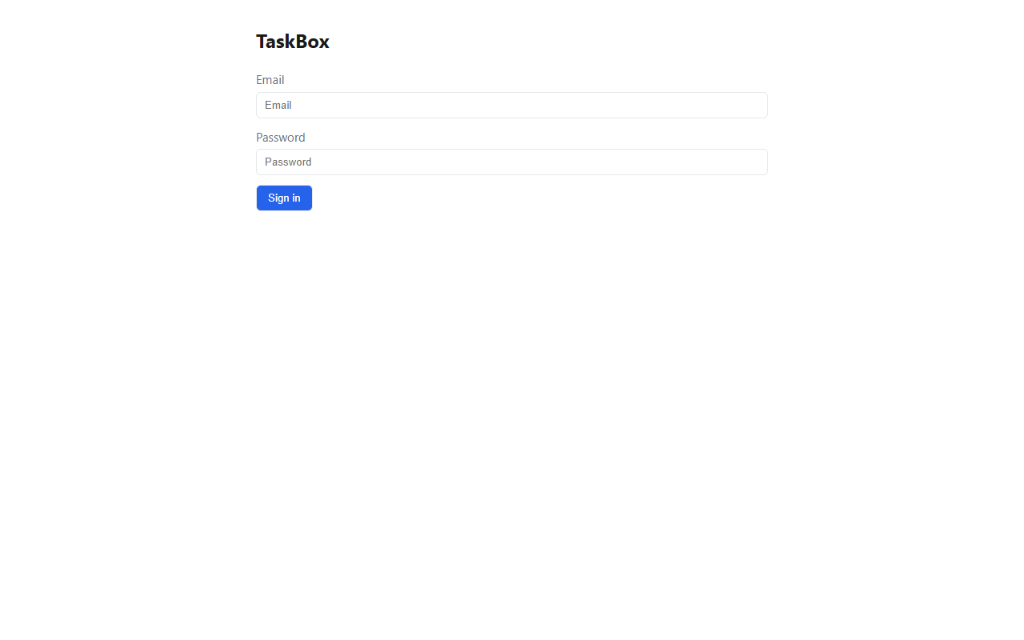
✓ TaskBox — http://127.0.0.1:57395/fixture

[1] textbox "Email"
[2] textbox "Password"
[3] button "Sign in"
During — what Haiku did
14 turns · 25.9s · stays on Haiku · on your Claude Code subscription.
Out — what your context receives
PASS — Logged in, enabled dark mode in Settings, verified.
Evidence: expect text "Dark mode on" ✓ · final url #/settings
tier=haiku turns=14 wall=25.9s
The report — roughly 300 tokens. The 14-turn transcript never enters your session. What "verify it stuck" actually checked, before and after:
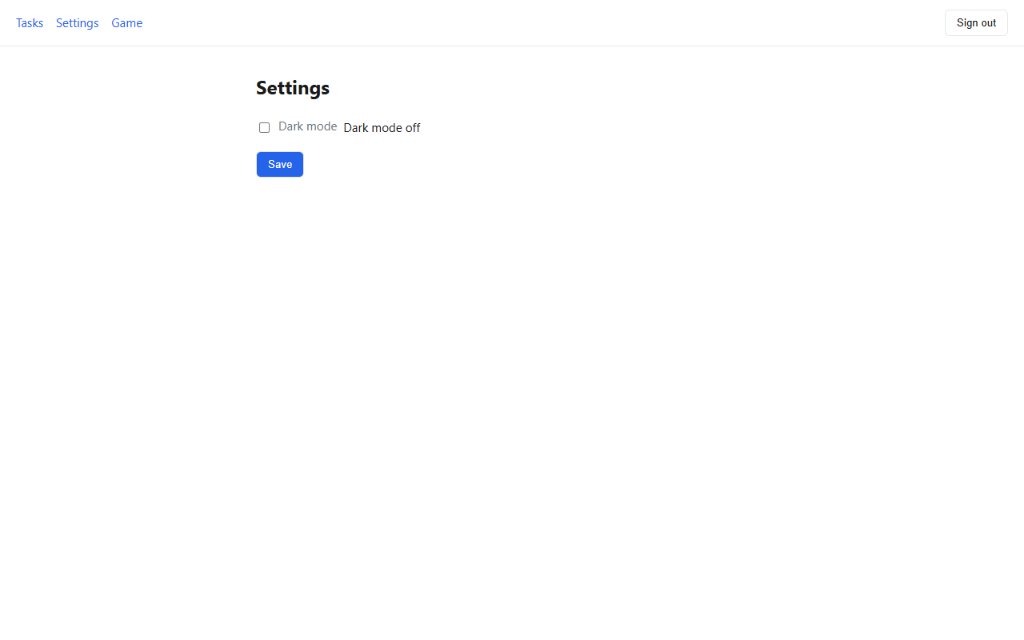
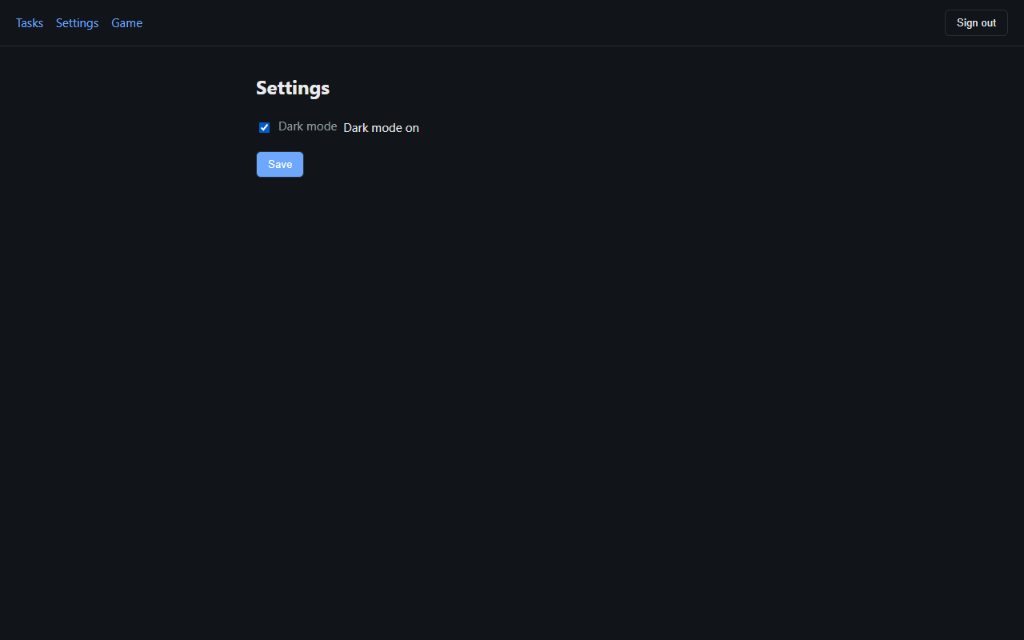
expectText("Dark mode on") asserts.And the run synthesizes a typed flow you can commit:
// synthesized by bx agent — flows/dark-mode.flow.ts
import { flow } from "bx/flow";

export default flow("dark-mode", async (b) => {
  await b.open("http://127.0.0.1:8000/fixture");
  await b.fill("Email", "demo@taskbox.test");
  await b.fill("Password", ""); // redacted at record time
  await b.click("Sign in");
  await b.click("Settings");
  await b.click("Dark mode");
  await b.expectText("Dark mode on");
});
tsc checks it, git versions it, and bx run flows/dark-mode.flow.ts replays it tomorrow in 1.2s with zero model involvement. The agent run is the authoring cost; every run after is a free regression test.
Measured on a real production app
| task | turns | wall |
|---|---|---|
| holidays count | 11 | 26s |
| overview + all-tasks synthesis | 37 | 75s |
| users + weekend schedule | 18 | 23s |
| module types | 11 | 16s |
| tags | 13 | 20s |
| settings profile | 13 | 12s |
| holidays + PTO | 22 | 30s |
7/7 correct, independently verified. 5 agents ran concurrently against one browser — each pinned to its own tab. Your context pays for the verdict, not the drive.
Three moving parts
A daemon, a set of verbs, and files you can commit.
A daemon holds your real Chrome
One background process per profile owns a real Chrome instance over playwright-core — persistent user-data-dirs, so you sign in by hand once and the session survives every run. The CLI talks to it over localhost HTTP. Nothing is a bundled headless browser unless you ask for one. Every command runs under a deadline, so a page stuck in a busy loop answers deadline … during <step> instead of hanging, and a crashed browser is relaunched on the next command. bx doctor and bx gc find orphaned Chromes, stale locks and old profiles (dry run until you pass --fix / --yes).
Verbs act on distilled text
open, els, click, fill, expect, console, net. Every read is budgeted at the source — the element list caps around 800 tokens, page text at 2,000, console and network at 30 entries — so output can never blow up a context window, and the model never has to ration a look at the page.
A number from els names the element itself, not a position in the last scan: it survives re-scans and only goes stale when the element leaves the page. Text targets are ranked — exact name, then exact text, then prefix, then substring — and a tie answers ambiguous with the candidates instead of guessing. Every action reports what changed: the URL, the title, a dialog, new or removed elements, a tab that opened.
Flows replay for free
A path that works becomes a typed TypeScript file. tsc checks it, git versions it, and re-running it costs zero model tokens — which makes the same artifact a regression test you can drop into CI or a pre-push hook.
Real-time mode — for 60fps canvases, the model ships code into the page
A read→decide→click loop is seconds per decision; a game runs at 60fps. So bx drive installs an agent-authored controller that runs inside the page every frame, while the daemon polls a win condition — zero model tokens while it plays. Games, drag physics, anything the DOM can't describe.
Recordings — video becomes something a model can read
bx record start streams one tab's frames straight out of Chrome into ffmpeg — no browser restart, so tabs and typed values survive — and --follow moves the capture to whichever tab becomes active. After bx record stop, the video is distilled in the background into deduped keyframes, 3×3 contact sheets, and a report.md. There is no audio, so bx's own action log — clicked Save changes, filled Email, plus any bx record mark you dropped — is the timed transcript. --mp4 adds an mp4 for sharing.
When the extension is still the right tool
bx is not a superset. Three cases where it is the wrong choice:
Your own logged-in daily browser
bx drives its own profiles under ~/.bx/profiles. Chrome 136+ blocks CDP on the default user-data-dir and app-bound encryption blocks importing cookies, so the browser you already have open, with all its sessions, stays out of reach. The extension lives inside it. (A bridge extension into your daily Chrome is the v2 roadmap.)
Hierarchical accessibility-tree reads
els returns a flat, numbered list tuned for acting on things. When the question is about structure — nesting, landmarks, what contains what — read_page's tree is genuinely the better read.
Arbitrary third-party sites
bx is built for driving apps you're actually working on — a dev server, a real project, a flow file worth keeping. For one-off poking at a site you have never seen, the screenshot loop needs no setup and no profile.